A couple of weeks ago I wrote about the shape of the private AI server in my garage: big generalist models in the middle, small specialist models around them. This post is about the other question people actually ask me, which is simpler and more useful: what is old hardware genuinely good for? Not in a benchmark. In a house, on a Tuesday.
The hardware is the same as before. Two Tesla P40s, datacenter cards from 2016, bought used, with 24 GB of memory each and almost none of the features a modern AI stack assumes. They have no tensor cores. Their half-precision math runs at roughly one sixty-fourth of their normal speed, which means most of the tricks newer cards use to go fast are, on these, a way to go slow. The whole machine cost less than one new high-end graphics card.
Since that last post the box has picked up a lot of new work. Here is what it does now, how fast, and what I learned about running modern models on hardware the industry has written off.
The job list
Every row here is something that runs locally, on demand, without an account anywhere.
| Job | Model | What it replaces | How fast on a P40 |
|---|---|---|---|
| Ask questions of my own notes | Qwen3-Embedding-4B and bge-reranker-v2-m3 to find passages, Gemma 4 26B to answer | Searching a wiki by hand | Answer with citations in seconds |
| Search a family photo archive by description | SigLIP 2 to search, Florence-2 to write descriptions | Scrolling years of folders | Under a tenth of a second per search, once warm |
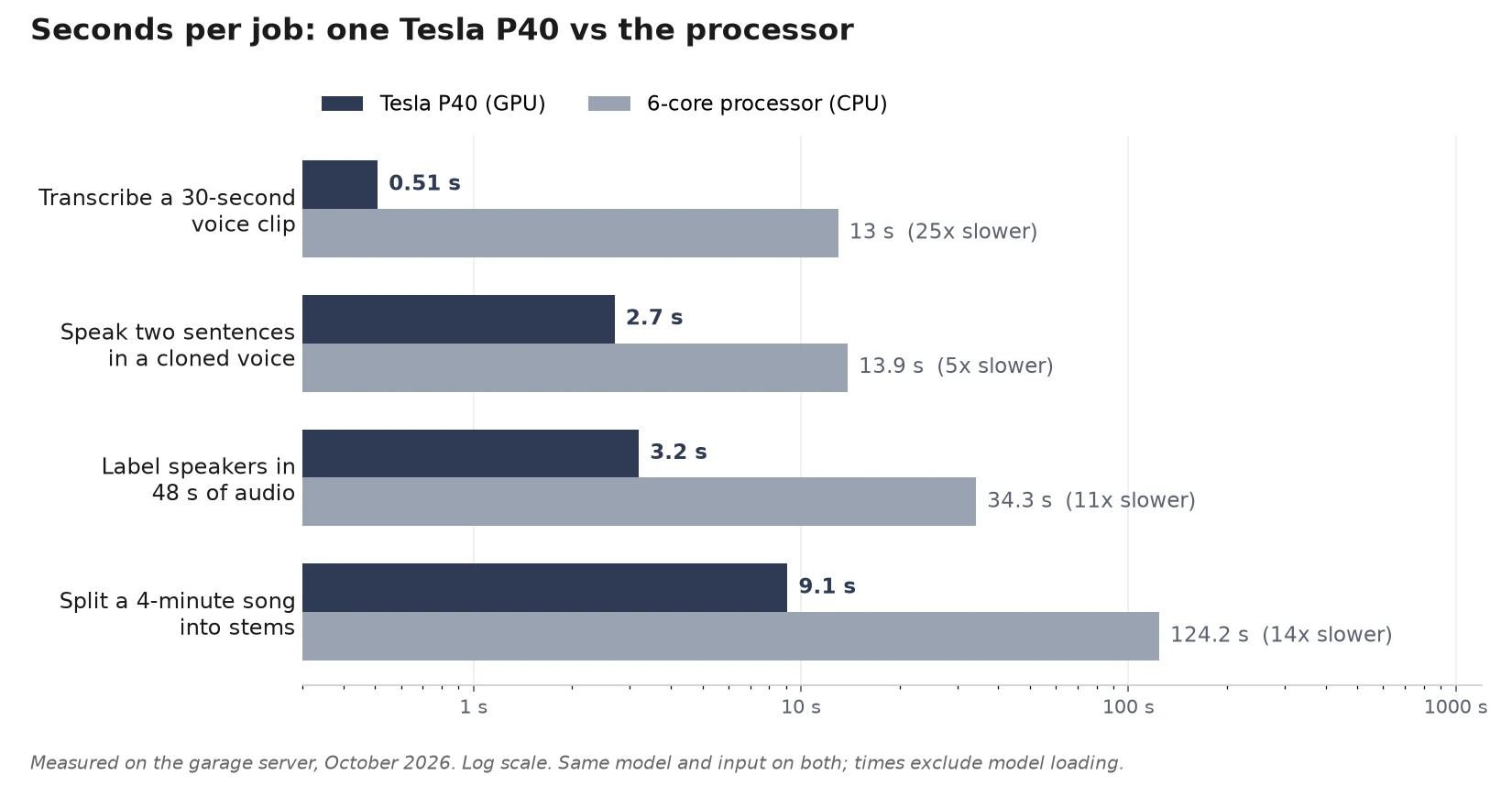
| Transcribe speech | Whisper large-v3-turbo | A cloud transcription service | Under a second per voice command |
| A spoken voice for the house | Kokoro-82M | A cloud smart speaker | Real time, on the processor alone |
| Speak in a cloned voice | XTTS-v2 | A paid voice-cloning service | About 2.4x faster than real time |
| Label who said what in a recording | pyannote speaker-diarization 3.1, with Whisper | Manual meeting notes | 48 seconds of audio in 3 seconds |
| Split a song into vocals, drums, bass and the rest | Demucs v4 (HT-Demucs) | A paid stem-separation site | A four-minute song in about 10 seconds |
| Generate an image | Juggernaut XL with SDXL-Lightning, or Sana 600M | An image-generation subscription | About 8 seconds per image |
| Enlarge an image four times | Real-ESRGAN, with GFPGAN for faces | An upscaling site | About 6.6 seconds for a 1024-pixel image |
| Generate a short music clip | MusicGen | A novelty | About twice real time |
| Run a capable chat and agent model | Gemma 4 26B, a mixture-of-experts model | A chatbot subscription | About 65 tokens, roughly 50 words, per second |
None of these is a party trick on its own. Together they cover most of what I would otherwise send to half a dozen companies, along with the audio, photos and documents that go with it.
Four that earned their keep
Searching the photo archive by what is in the pictures. Our family photos live on the NAS as two Google Takeout exports, the usual graveyard of folders named by year. One model turns every photo into a vector that captures what it shows; a second writes a sentence describing each one. Now I type “snow”, “birthday cake” or “the server rack” and get the right pictures back in under a tenth of a second, after a few seconds to wake the model for the first search.
Indexing all 45,660 photos took two hours and forty-four minutes on one card. Writing the descriptions is much slower, about one photo every two seconds, so it runs in the background for a day and nobody notices. The survey also turned up something I did not expect: two thirds of the files in those backups were not photos at all but thumbnails the NAS had generated for itself. The index skips them.
Who said what. Transcription alone gives you a wall of text. Adding a speaker-labelling model turns it into a script, with each line attributed to a speaker. On a 48-second test recording of two voices taking turns it got every turn right, in three seconds on the GPU and about half a minute on the processor. That test was clean synthetic speech, so real meetings with people talking over each other will be harder. It is still the difference between a recording I will never re-listen to and notes I can search.
Taking a song apart. Stem separation splits a track into vocals, drums, bass and everything else. A four-minute song takes about ten seconds on a P40 and needs only half a gigabyte of video memory. To check the result I added the four stems back together; they matched the original to within four percent. The same job takes two minutes on the processor, which is the first hint of the pattern below.
That song isn’t mine to share, so below is a Creative Commons song run through the same model instead: twenty seconds of the original, each of the four stems on its own, and the four stems added back together. The GPUs were busy with other tests that day, so this one ran on the processor, and a three-minute song took two minutes. Its stems re-sum to within five percent of the original, a little looser than the first song.
Original
Vocals
Drums
Bass
Everything else
All four stems added back together
Enlarging images the old-fashioned way. My first attempt at upscaling used the same big diffusion model that generates images. It needed 22 GB, took 27 seconds, and could only manage one and a half times the size before running out of memory. Replacing it with Real-ESRGAN, a small purpose-built network from 2021, does a true four-times enlargement in 6.6 seconds using 2.4 GB. The smaller, older, specialised model won outright, which is the most useful lesson of the whole project.
What the image models draw
Image generation is where the P40’s age shows most. With no usable half precision, every image model runs in full 32-bit numbers, which doubles the memory it needs. Juggernaut XL, an SDXL photo model, takes about 17.5 GB that way, more than a card has free while the language model is loaded, so the image service asks for a card with that much room and, if the language model is awake, waits until it goes to sleep and hands a whole card back. Speed comes from SDXL-Lightning, a small add-on that lets the model finish a picture in four steps instead of the usual twenty-five or more. Sana 600M is the smaller alternative: its image network is about a quarter the size of SDXL’s, though with its text encoder it still fills most of a card in 32-bit, and it needs twenty steps. I used it for the two painted images below.
These came from one evening’s run with no people in any prompt. I generated two seeds per prompt and picked the better of the two. Once a model is loaded, Juggernaut XL took 8.3 to 8.6 seconds per image on one P40 and Sana 12.9. Loading the model first adds 10 to 15 seconds every time, because nothing stays in memory between requests. The pixel-art picture is the same Juggernaut model with a small style add-on (a LoRA) layered on top, which cost about five seconds more to load and under a second more per image. The models also ignore parts of a prompt: I asked for a glowing server rack in the workshop and got a workbench and a desk computer.
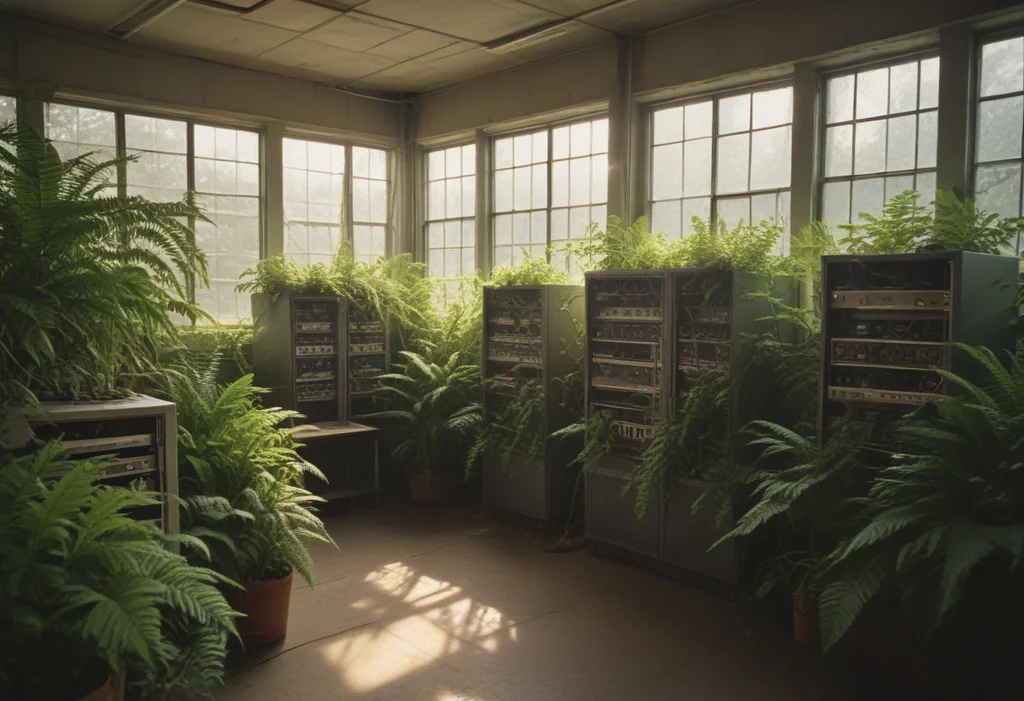
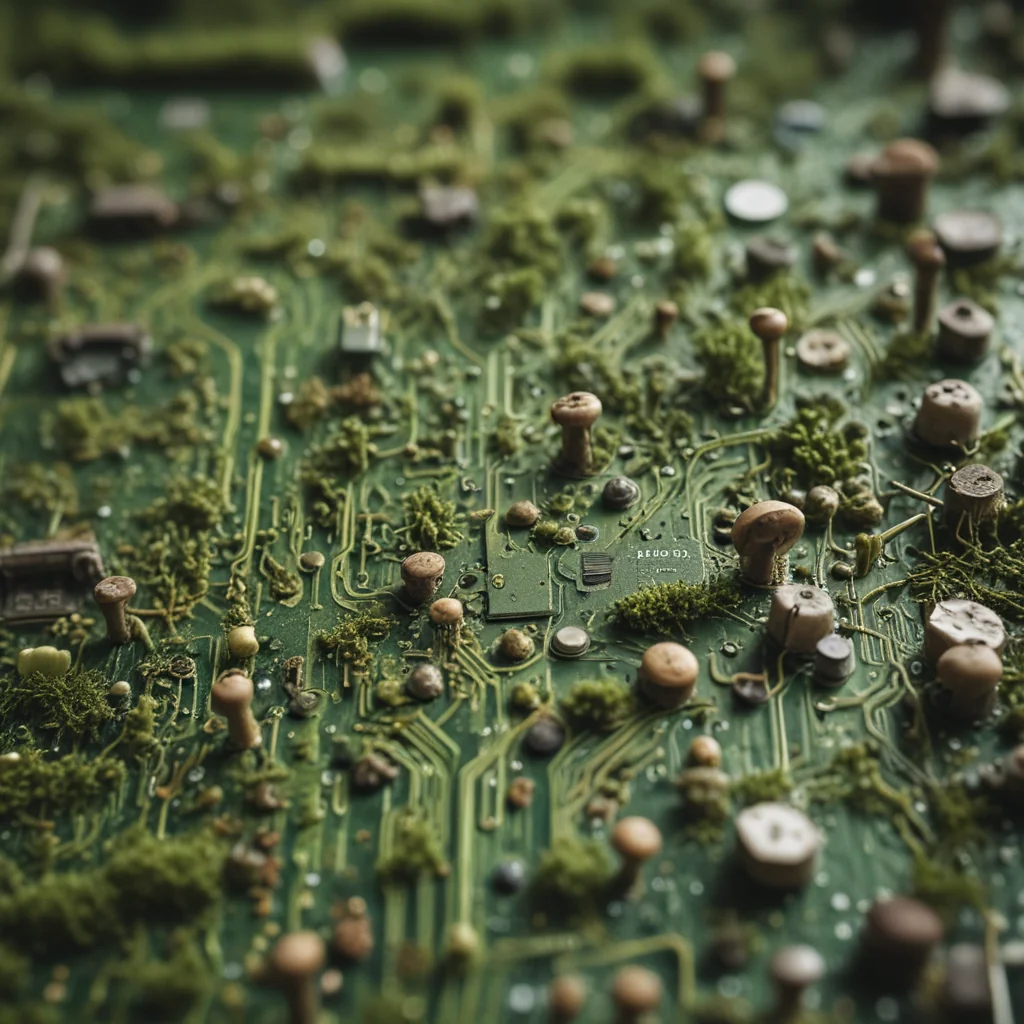

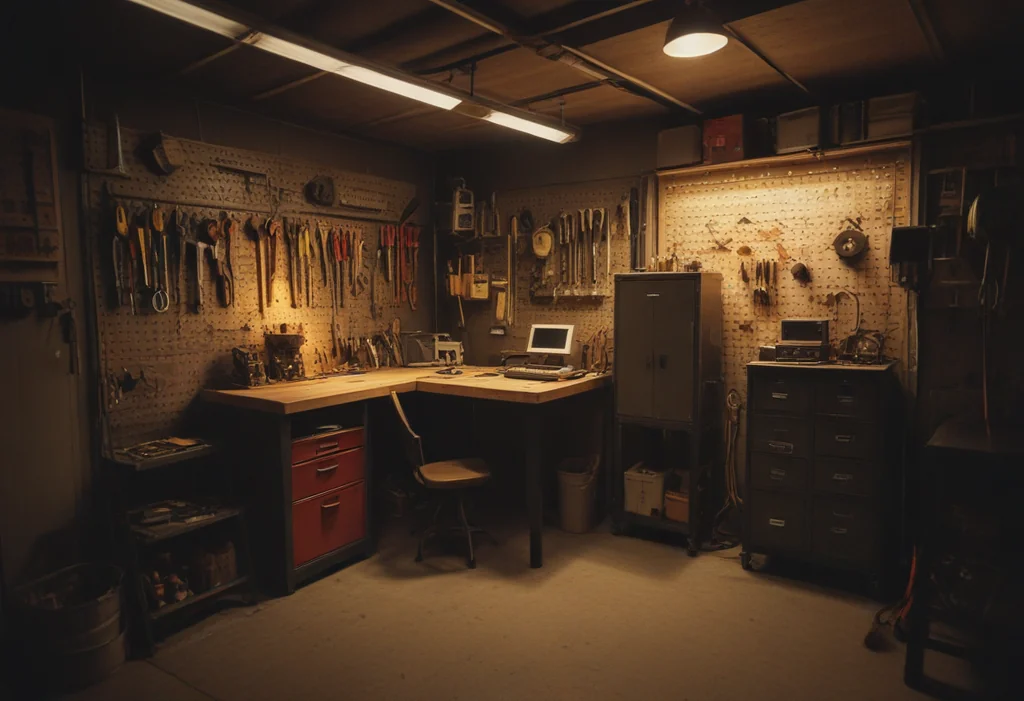


Enlarging works on these too. Below is the same 256-pixel square of the fox enlarged four times, with ordinary bicubic resizing on the left and Real-ESRGAN, the small 2021 network from the “Enlarging images” section above, on the right; the whole 1216 by 832 picture went to 4864 by 3328 in 7.5 seconds on a P40, including loading the model.

When the processor is enough, and when it isn’t
A recurring question was whether a job needs the GPU at all. The answer turned out to depend on the job, and the gap is large when it matters.

The processor handles the steady background work well: the house’s everyday voice, the model that re-ranks search results, the model that turns notes into searchable vectors. All of that runs on the CPU and leaves the GPUs alone. Anything a person is waiting on goes to a GPU: transcribing a voice command takes half a second there and thirteen seconds on the processor, and nobody waits thirteen seconds for a light switch.
Lessons from running modern AI on 2016 hardware
Pick models for the hardware, not the leaderboard. These cards are fast at reading memory and slow at modern math. That suits “mixture of experts” language models, which hold tens of billions of parameters but use only a few billion for each word. It also suits small specialist networks that run happily in full 32-bit precision. It does not suit anything that needs half precision to be fast.
Share the GPUs by taking turns. Nothing new stays loaded. Each service loads its model when asked, picks whichever card has room, and releases it the moment it finishes. The language model goes to sleep after five minutes without a request, which frees a whole card for image or music jobs, and wakes again in about six seconds. Two cards end up covering a dozen jobs because almost none of them run at the same time.
Pin everything. This generation of cards is being retired by the software around it. The newest NVIDIA drivers and CUDA releases no longer support them, and the main Python AI library drops them in its next release. Every project on the box lives in its own environment with its versions written down. One careless “upgrade everything” command would quietly move the whole machine onto the processor.
Give every service a memory limit. One evening this week the box stopped answering. The image service had a slow memory leak; it had grown to 48 GB, and together with a background indexing job it filled all 64 GB of RAM and all of the swap. The machine did not crash. It thrashed, slower and slower, until even a remote login gave up, and it took a power cycle to recover. Every heavy service now has a hard memory ceiling, so a leak kills that one service and restarts it instead of taking down the house’s voice assistant with it.
The leak itself turned out not to be in my code. Each image job loads a 10 to 15 GB model into ordinary memory before moving it to the GPU, and when the job ended, the C library’s memory allocator kept that freed memory for itself instead of handing it back to the system. Python saw nothing alive; the operating system saw a process that only ever grew. One call to give the memory back after every job fixed it, and the service now drops back to a third of a gigabyte between images.
Be sceptical of miracle software. Old datacenter cards have a devoted following, and new inference engines regularly promise to double their speed. I looked closely at two this week. The first engine’s headline numbers came from the V100 and P100, slightly newer cards with the fast half-precision hardware the P40 lacks, and its authors had never measured a P40. The second, a Pascal port of a popular serving engine, could not run the models I use, and where it did run on P40s it processed long prompts about four times slower than my current setup. A quick calculation keeps expectations honest: a P40 reads its memory at about 347 GB/s, which caps how fast any engine can produce text. For my main model that ceiling is roughly 165 tokens per second, and I get about 65. The gap is worth chasing, but tuning the engine I already run is the cheaper place to look.
So I tuned it, and most of the obvious ideas lost. Turning off flash attention, which one Pascal-focused project recommends, made long prompts faster but cut generation from 43 to 13 tokens per second at long context. Bigger processing batches gained six to eight percent, not enough to bother. The real win was a single timer. The language model went to sleep after five idle minutes to free the GPUs, and sleeping threw away the agent’s cached 40,000-token prompt, so the next request spent a minute and a half re-reading it. Most of last week’s re-reads followed pauses of five to fifteen minutes, so the model now stays awake for ten.
Size each service to its job. The service that turns notes into searchable vectors was holding over 7 GB of memory, because it was set up to swallow 4,096-token inputs at once. After I split the notes into smaller, heading-sized pieces, no input was longer than about 420 tokens. Shrinking its batches to match cut it to under 1 GB at rest and about 3 GB under load, with identical results. The smaller pieces helped search too: the right note now comes up first for 15 of my 17 test questions, up from 7.
Let a slower, smarter model work while you sleep. Some jobs don’t need speed. A dense 27-billion-parameter model is far slower on these cards than the default, but split across both of them with llama.cpp’s tensor mode it reaches about 18 tokens per second, half that while the photo indexing still shares a card. On a fairly easy set of multi-step tool-use tasks it finished 23 of 23 where the fast default managed 20. It now gets both cards from one in the morning until half past six, while a small 4-billion-parameter model stays loaded on its own so that image reading, and soon the house’s voice assistant, keep answering through the night.
Why bother
Partly because it is cheap: the hardware was second-hand and the models are free. Mostly because of what the data is. Family photos, recordings of our own voices, the audio of a house, my own notes on everything we own: none of it has to leave the building to be useful. The cards are old, but the jobs they do are real, and the AI industry’s idea of what counts as obsolete deserves a second look.